
Personal Data Redactor
Keep your personal details out of AI chats.
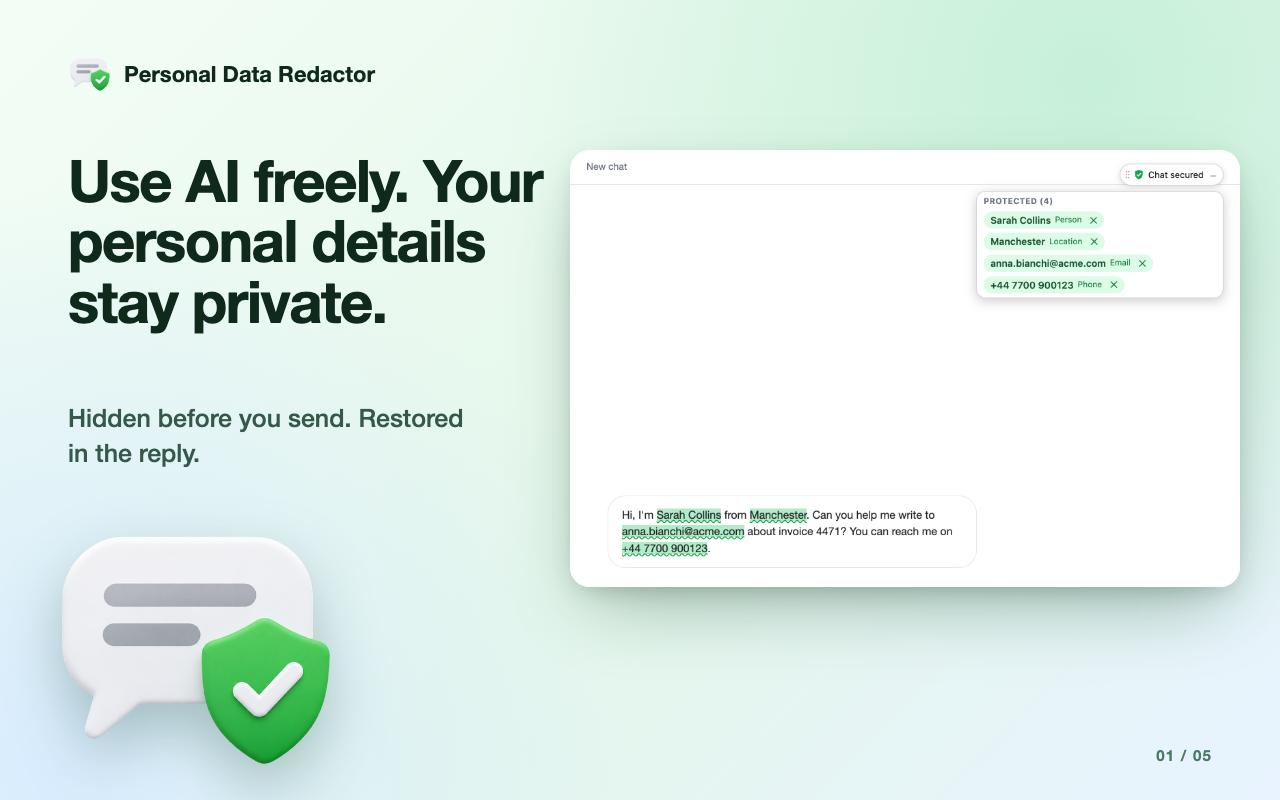
Type as you normally would in ChatGPT, Claude, Gemini or Grok. Names, emails, phone numbers and other personal details are replaced with placeholders before your message is sent, and shown again in the replies on your screen.

Features
- Sensitive text is highlighted as you type, so you see what will be hidden before you send
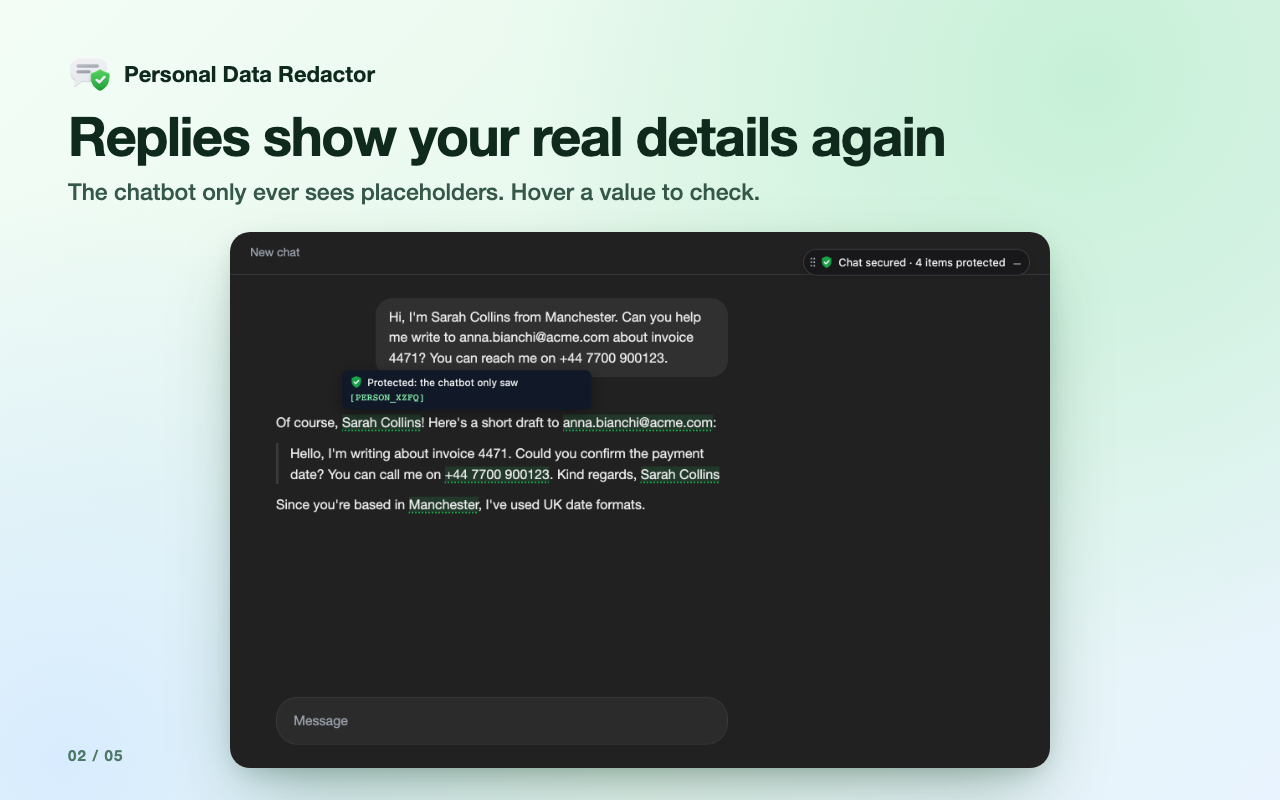
- Replies read naturally: placeholders turn back into your real details, including in earlier messages when you reopen a chat
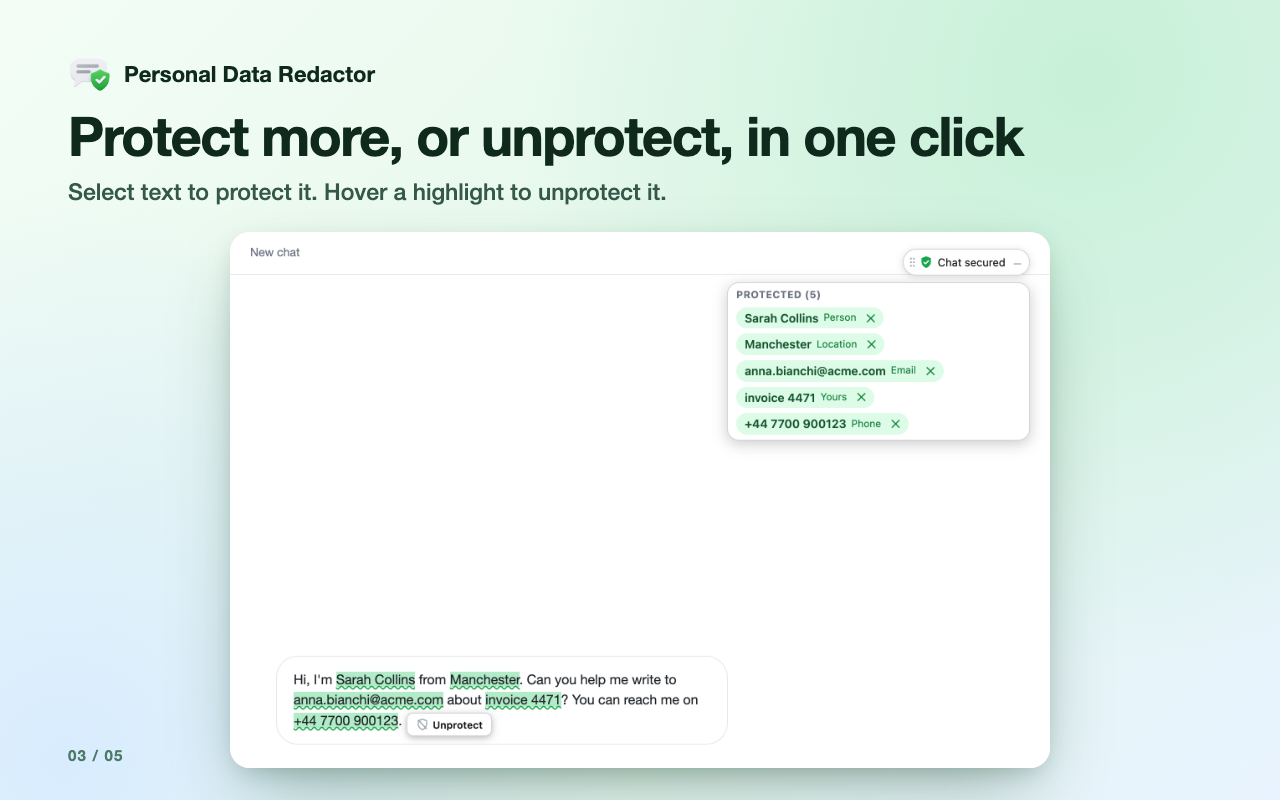
- Protect any text you choose, or unprotect a highlight that isn’t sensitive
- Protects text, Word and Excel files you attach too: the chatbot gets a redacted copy, and you get a warning for PDFs and images, which aren’t processed
- Finds names, companies and places, emails, phone numbers, IBAN and card numbers, social security and Italian fiscal code numbers, IP addresses, API keys and access tokens
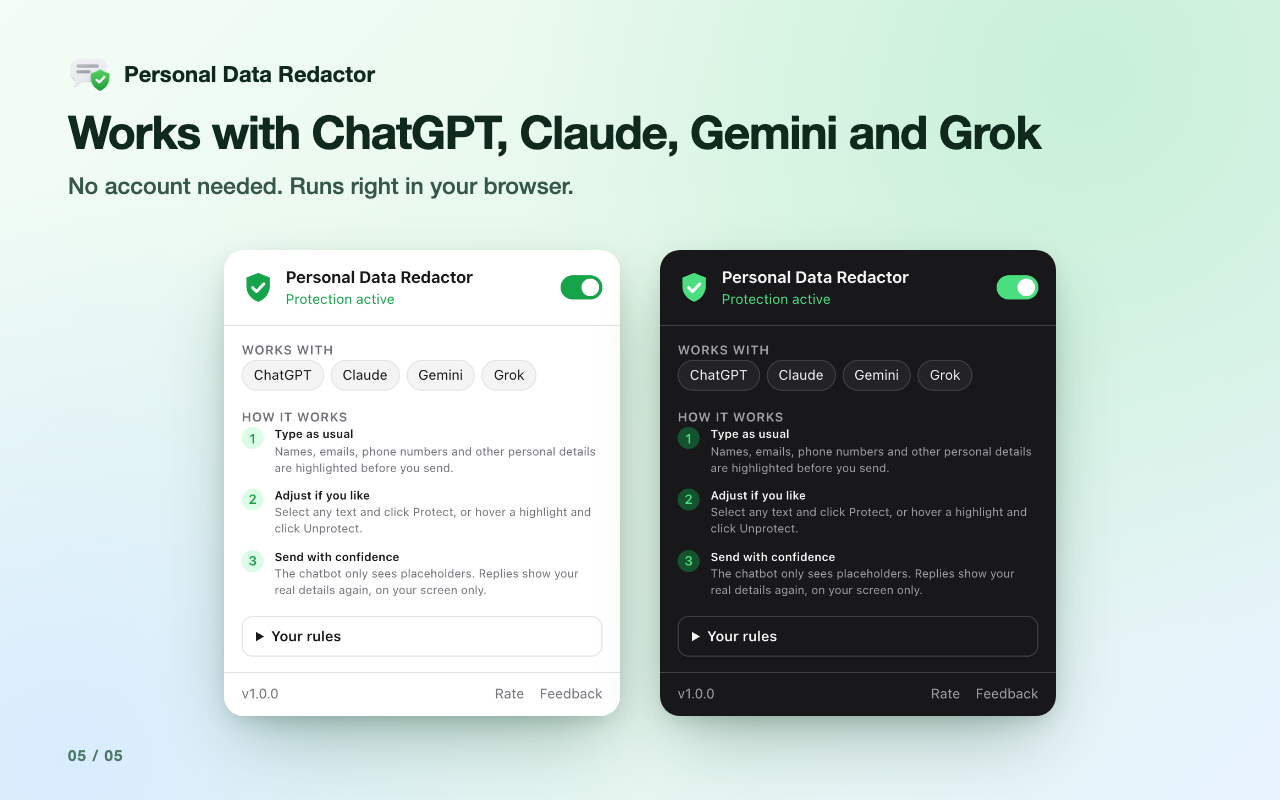
- Works with ChatGPT, Claude, Gemini and Grok
- Light and dark mode that follow your browser
How it works
- Open a supported chatbot and write your message as usual
- Personal details are highlighted and replaced with placeholders when you send
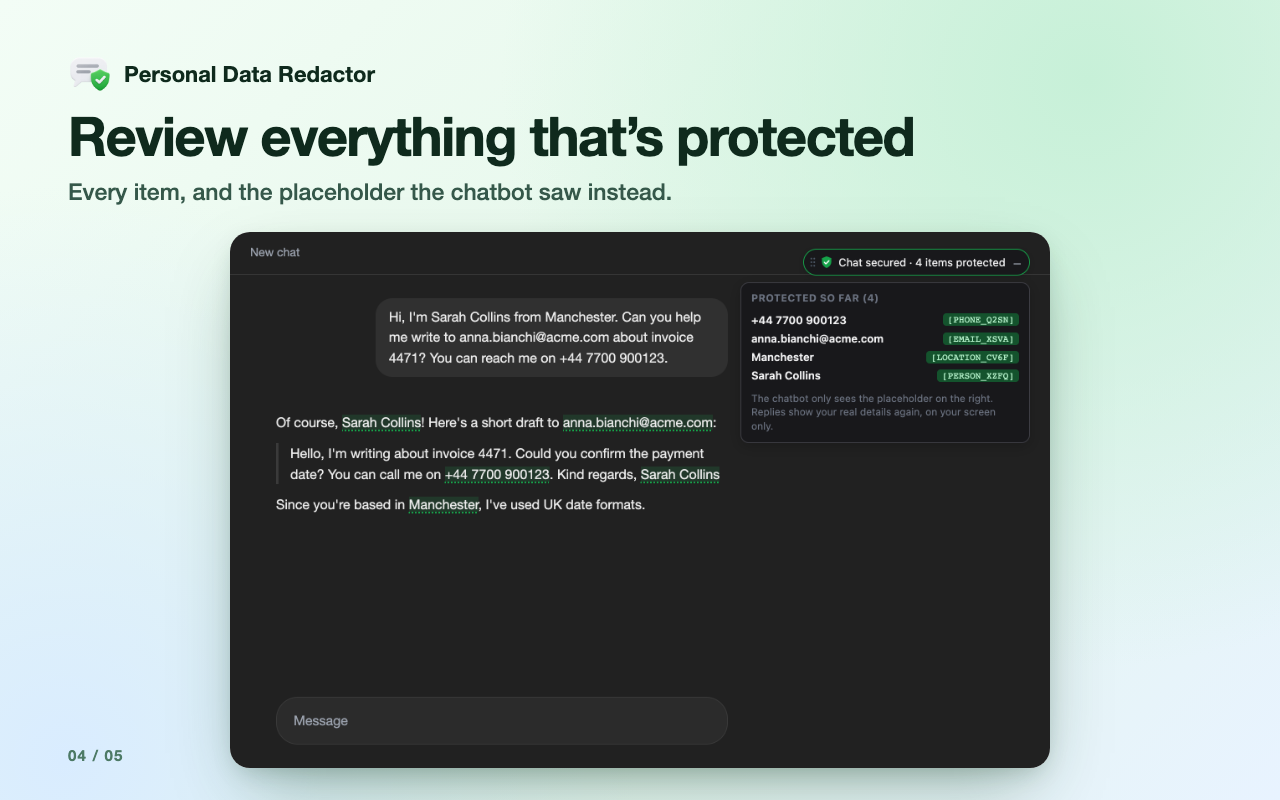
- The chatbot only ever sees the placeholders
- Replies show your real details again, on your screen only
FAQ
How do I stop ChatGPT or Claude from seeing my personal information?
Install the extension and keep using the chatbot as usual. Personal details in your message are replaced with placeholders before it leaves your browser.
Does it catch everything?
No tool does. Check the highlights before you send, and select anything it missed and click Protect. Names, companies and places are recognised in English text; emails, phone and card numbers in any language.
Can it protect files I attach?
Yes for text, Word (.docx) and Excel (.xlsx) files: they are redacted on your device before they are uploaded. PDFs and images are not processed, and the extension warns you when you attach one.
Does it collect my data?
No. Everything is done on your device, with no accounts, analytics or servers of mine. Read the privacy policy.
Is it free?
Yes, it’s free to install from the Chrome Web Store. The first time you use it, a one-time download of about 65 MB runs in the background.
Questions or ideas? Send feedback.
Everything runs on your device. No accounts, no tracking, no servers. Not affiliated with OpenAI, Anthropic, Google or xAI.